How to

Manage Claude Code on multiple machines.

Install the Termdeck agent once on each machine that runs Claude Code, your laptop, your desktop, the box you SSH into. Every session on every one of them then shows up in one browser, and you start each new chat on whichever machine has the code.

Steps

Connect each machine once

1. Add the first machine

In the dashboard, open Settings, then Machines and accounts, and choose Add machine. Give it a short name such as laptop or build-vm. That name appears in the sidebar and in every URL for that machine.

2. Run the install command on it

The wizard shows a command with a one time token already in it. Paste it into a terminal on that machine: curl ... | sh on macOS and Linux, a PowerShell line on Windows. It registers a background service, so the machine reconnects after a reboot. Install details.

3. Repeat for every other box

Choose Add machine again for each one, so each gets its own token. Give each an icon and a colour, and that mark follows the machine through the sidebar, the board and the machine picker.

4. Add the folders you care about

In Settings, then Projects, add the project folders on each machine. Chats appear in the sidebar only for folders you have added, because a machine may hold hundreds and you probably care about six.

5. Start a chat on the right machine

Choose New chat and pick the machine, the folder and the engine. The turn runs on that machine, where the repository already is, so nothing is cloned or synced anywhere.

6. Keep an eye on their health

Each machine has a card with a green dot when it is connected, its platform, and each CLI as signed in or not. Run checks on the card turns what the machine reports into a list of problems, each with the command that fixes it.

Day to day

What one place for every machine gives you

One sidebar

Chats from every machine sit together under their project folders, and each row ends with its machine's mark. Hover it for the machine's name.

One board

Home shows one card per chat across every machine and engine, grouped by what each is doing, so you see what needs you at a glance. The board comes with Starter and Pro.

One approvals inbox

Every waiting permission from every chat and machine lands on the Approvals page, and you can answer in bulk.

What it looks like

On a real phone

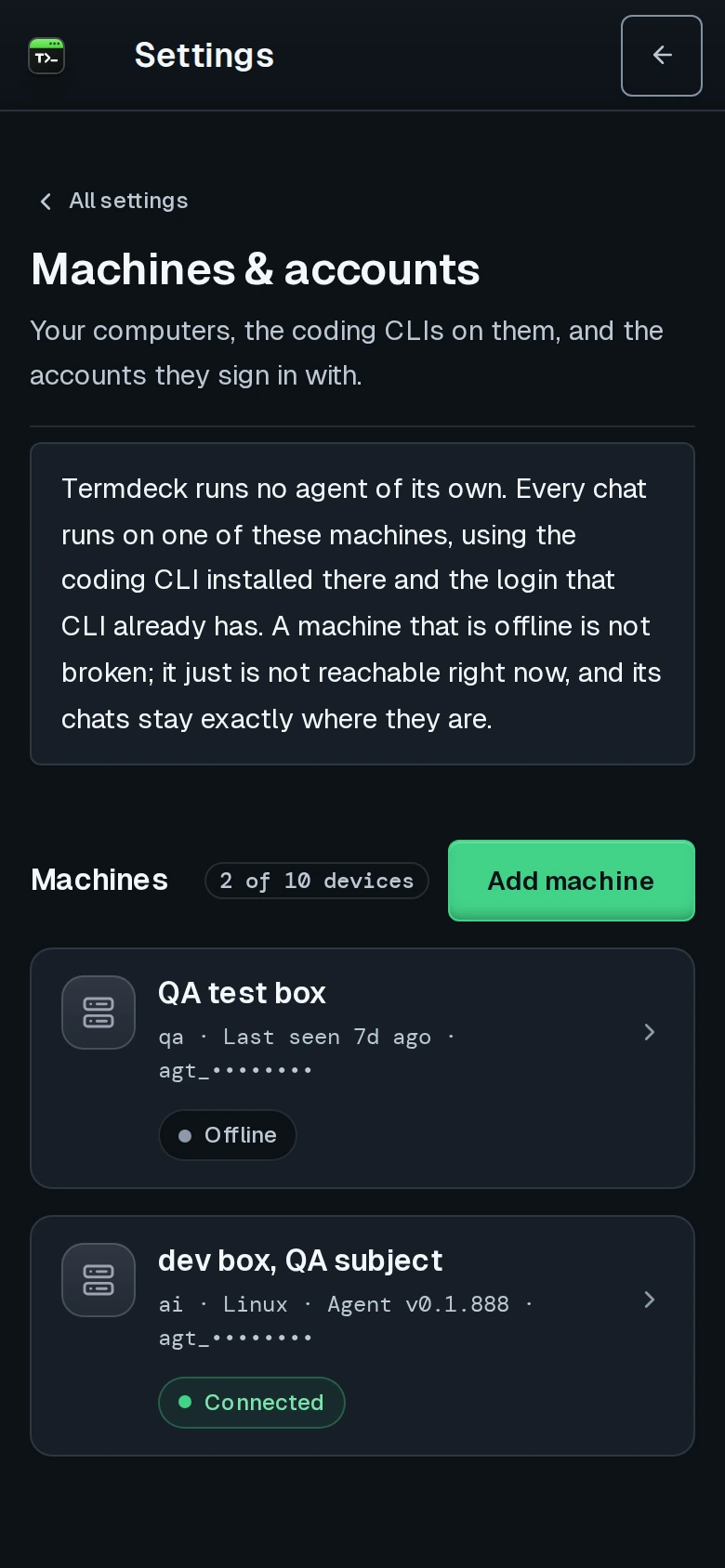
Termdeck Settings, Machines and accounts, on a phone: two machine cards, one offline and one connected, with an Add machine button
Settings, then Machines and accounts: every connected machine with its status. Tokens are masked in this screenshot.

Not this

What it does not do

Termdeck does not move code or chats between machines. Each chat runs on the machine it started on, and its transcript stays on that machine's disk. It does not keep a sleeping machine awake either: an offline machine's chats wait until it comes back. If you want several Claude Code sessions side by side on a single machine, that is a different job, covered in managing multiple Claude Code sessions.

Questions

Claude Code on several machines, answered

How many machines can I connect?

It depends on the plan: 2 on Starter, 10 on Pro. Either one starts with a 14-day free trial. Fleets larger than 10 are available by arrangement at [email protected].

Can I reuse the install command on a second computer?

No. A token belongs to one machine. Use Add machine for each computer so each gets its own token. Pasting the same command twice gives one machine two agents, and its card shows a Two agents badge.

What happens when one of my machines is asleep?

Its card turns grey with how long ago it was last seen, and its chats wait until it wakes. The chats on your other machines keep working, because each machine runs its own turns.

Where do my transcripts live?

On each machine's own disk. They belong to the coding CLIs, and removing a machine from Termdeck does not touch them.

Keep reading

Related

Machines and fleet

The manual page: every part of a machine card, the warning badges, Run checks, updates and device limits.

Manage multiple Claude Code sessions

Running many agents at once, on one machine or many, compared with single agent tools.

Run Claude Code from your phone

The same fleet in your pocket: read, approve and continue any chat on any machine.

If a new machine does not show up: the machine never comes online.

Every machine you code on, one browser tab.