How to

Get notified when Claude Code finishes.

Connect the machine running Claude Code to Termdeck and turn on push in Settings, then Notifications. Your phone or desktop then alerts you when a turn finishes, when one fails, and when Claude Code stops to ask you something or wait for an approval.

Steps

Turn it on, once per device

1. Connect the machine

Sign up, then in the dashboard open Settings, then Machines and accounts, choose Add machine and run the install command it shows on the computer where Claude Code runs. Quickstart.

2. Install Termdeck on the device you want pinged

On an iPhone, open termdeck.io/dashboard in Safari, tap Share and choose Add to Home Screen, then open Termdeck from that icon. On Android, accept Chrome's install prompt. On a desktop, use the install button in the address bar of Chrome or Edge, so alerts arrive with the browser closed.

3. Enable push

Go to Settings, then Notifications, and enable push. The browser asks for permission once, and that device is subscribed on its own, so you can keep the phone loud and the desktop quiet.

4. Pick the events

Each event has its own switch on each device. A good start is approvals and questions on, turn finished off: a finished run can wait, a blocked one needs you now.

Events

What can notify you

EventFires when
Approval requestsA tool needs your permission before it can run. The notification carries Allow and Deny buttons.
Questions and plansThe agent asks you to decide something.
Turn finishedThe whole turn you started from Termdeck finishes.
Run failedA turn ends with an error.

While a Termdeck window is focused, alerts show in that window as a toast and a sound instead, and nothing is pushed. Push returns about two minutes after you leave it.

What it looks like

On a real phone

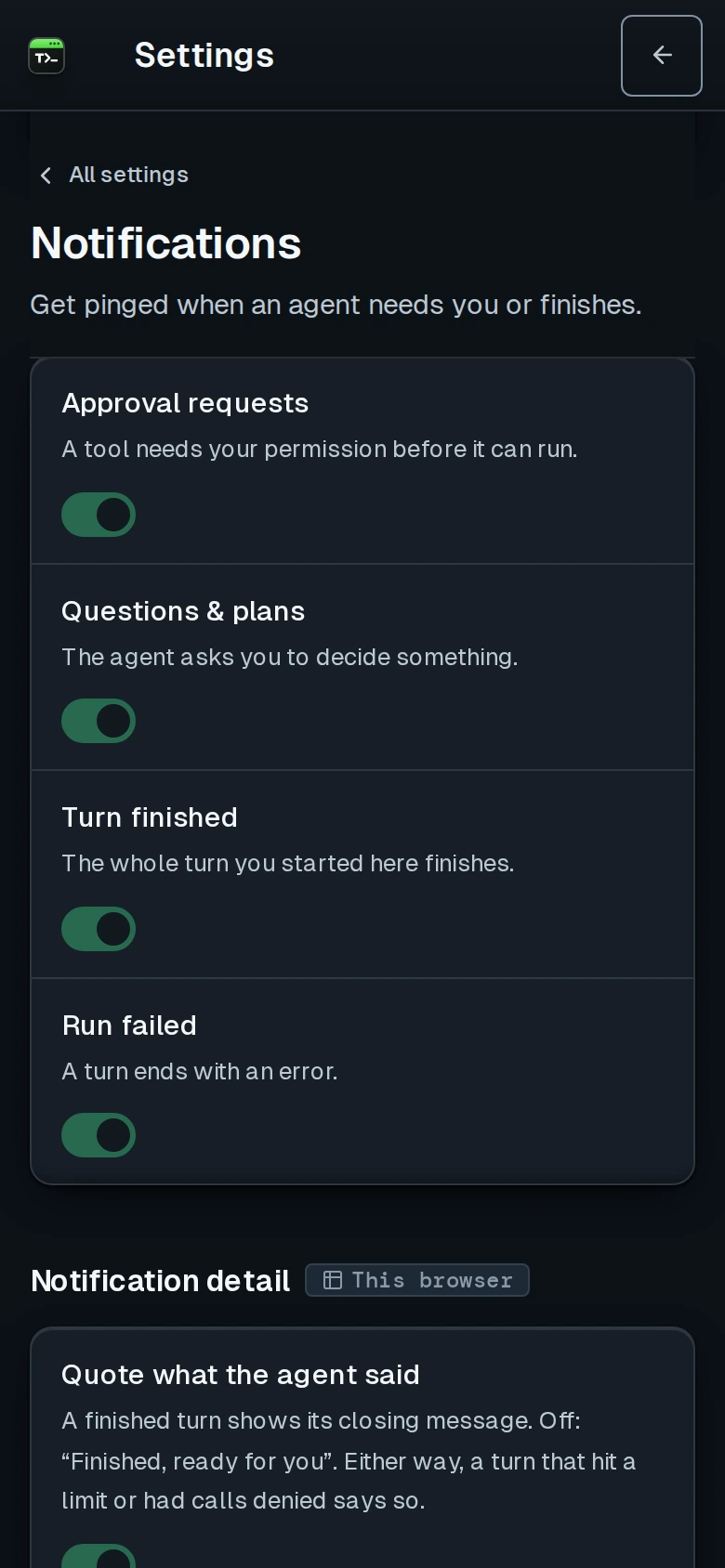
Termdeck Settings, Notifications, on a phone: four switches for approval requests, questions and plans, turn finished, and run failed
Settings, then Notifications: one switch per event, set separately on each device.

Not this

What does not notify

A terminal or another process going quiet does not send a completion notification. Turn finished alerts are reserved for whole turns started from Termdeck, so a Claude Code session you are driving in a terminal will not ping you when it stops. An approval notification also expires: its token is single use and lasts 5 minutes, as long as the approval itself, after which answering it asks you to open the app instead.

Questions

Claude Code notifications, answered

Why does my phone stay quiet while I am at my desk?

That is deliberate. While a Termdeck window is focused on any device, that window shows the alert as a toast and a sound, and nothing is pushed to any device. Push comes back about two minutes after you leave the window.

Why does nothing arrive on my iPhone?

Safari only allows web push for a site added to the home screen. Add Termdeck from the share menu, open it from that icon, and enable push there. A subscription made in a Safari tab does not carry over.

Notifications worked and then stopped. What now?

Browsers expire push subscriptions, especially after a long idle period or a data clear. Toggle push off and on in Settings, then Notifications, to register a fresh one for that device. Your per event choices are kept.

Do notifications cost anything?

No. Notifications are included in both plans. Watching your agents and unblocking them is never something Termdeck meters.

Alerts arriving late? Delivery goes through the browser vendor's push service. On Android, exclude the browser or the installed app from battery optimisation; on desktop, keep the browser running.

Keep reading

Related

Mobile and notifications

The manual page: every notification switch, in app alerts, and the full list of fixes when pushes do not arrive.

Approve permissions remotely

Answer a waiting tool call from the notification itself, or from any browser.

Run Claude Code from your phone

The whole setup for reading, steering and continuing sessions from your phone.

If an approval never reaches you: the approval prompt never appears.

Stop checking on your agents. Let them tell you.